
When a check-in is missed
The reminder, the wait, what your people see, alerts at night, and how to pause so nobody worries.
On a normal day nobody hears anything from Alrighty?. This is what happens when a check-in time passes and you haven’t checked in yet, on your phone and on theirs.
1. A reminder, to you first
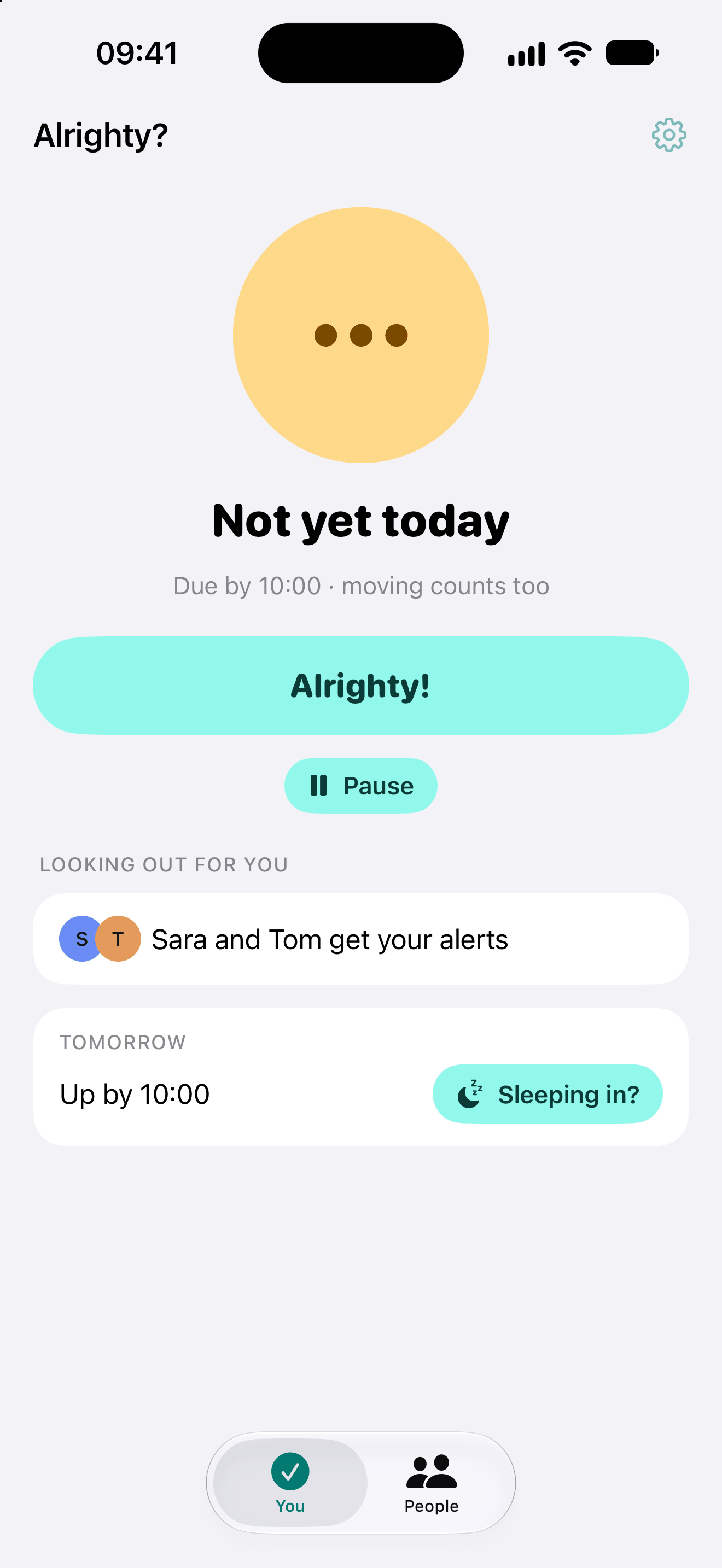
Until your time, the home screen says Not yet today, with when it’s due. Moving counts on the once a day and every few hours plans, so a walk around the house is often enough.
At your check-in time you get a reminder with an Alrighty! button. Tap it and that’s it: nobody else is bothered.
A check-in day starts at 4:00 in the morning, so a late-night tap counts for the night before, not for the morning after.
2. The wait, then your people are told
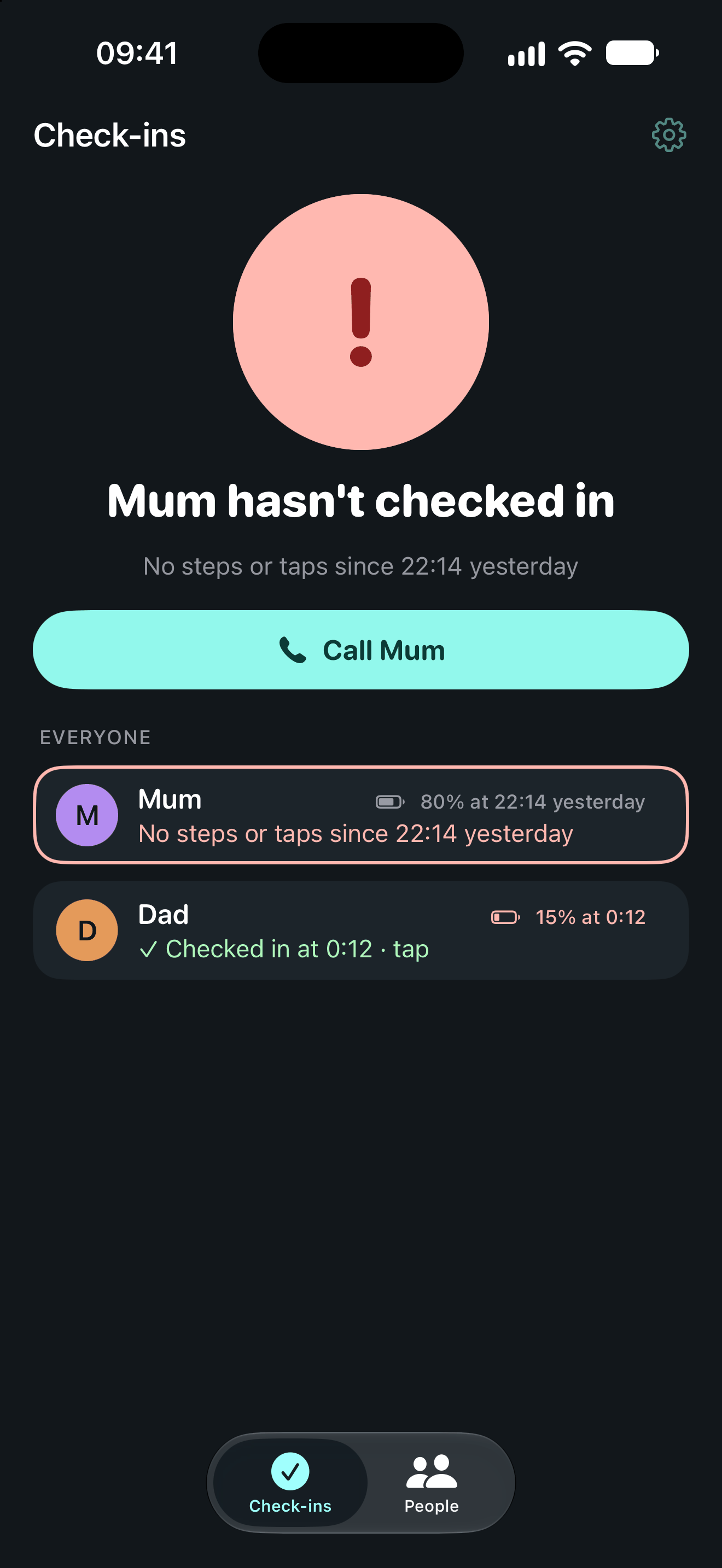
If you still haven’t checked in after the wait, your people get a notification: Mum hasn’t checked in. The wait is 45 minutes unless you change it under Settings, from 15 minutes up. Time for the taxi home, or to find your phone.
On their phone your card turns red, with when you were last seen moving or tapping and a Call button. Next to your name they also see your battery level from your phone’s last contact. When it was low, the app can say your phone may be off, which often explains a missed check-in.
Check in late and they get an all-clear straight away.
Our server keeps the clock, not your phone, so the alert still goes out if your phone is off, flat or lost.
3. Let alerts through at night
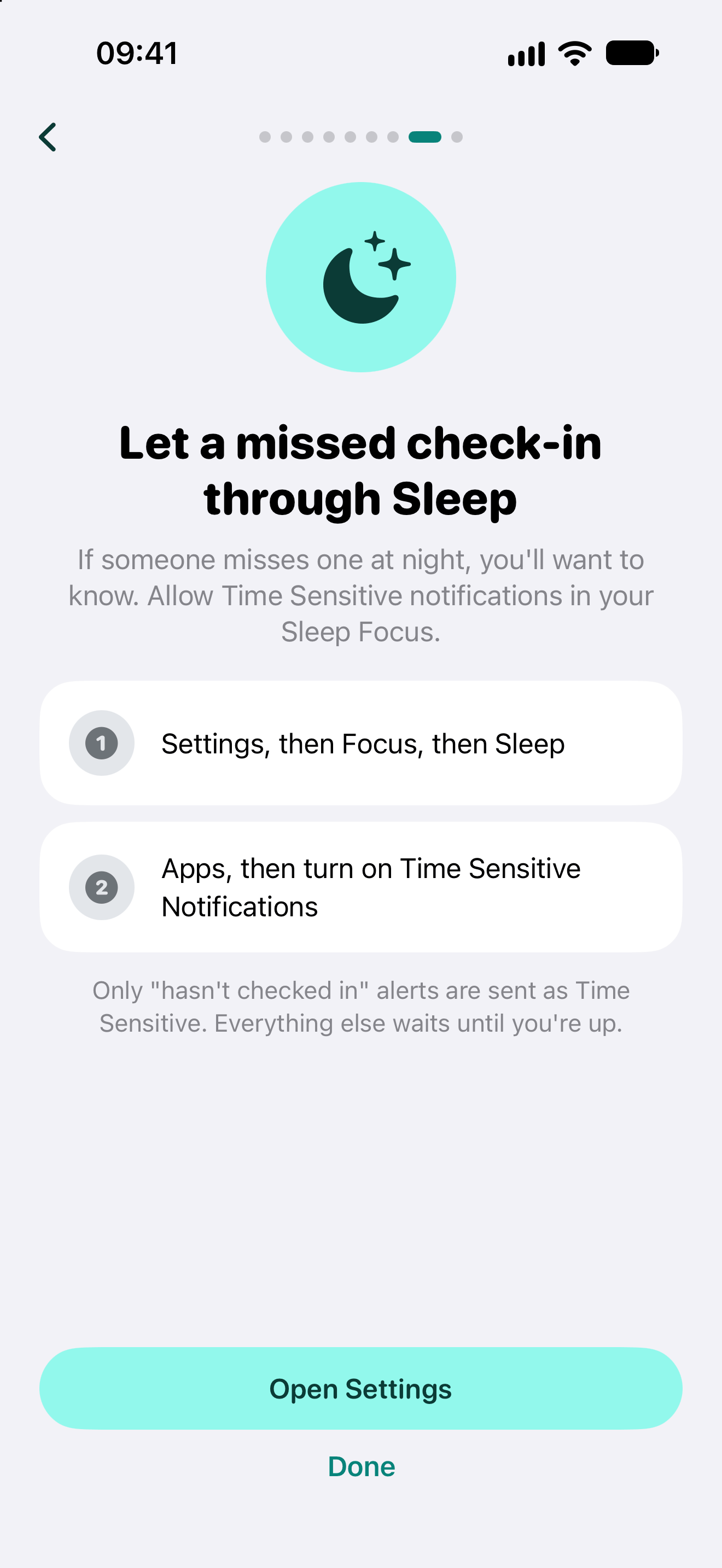
If someone misses one at night, you’ll want to know. “Hasn’t checked in” alerts are sent as Time Sensitive, so they can come through Focus. For Sleep, allow it once on the phone that gets the alerts: open Settings, then Focus, then Sleep, then Apps, and turn on Time Sensitive Notifications.
Only missed check-ins are Time Sensitive. Everything else waits until you’re up.
4. Pause, so nobody worries
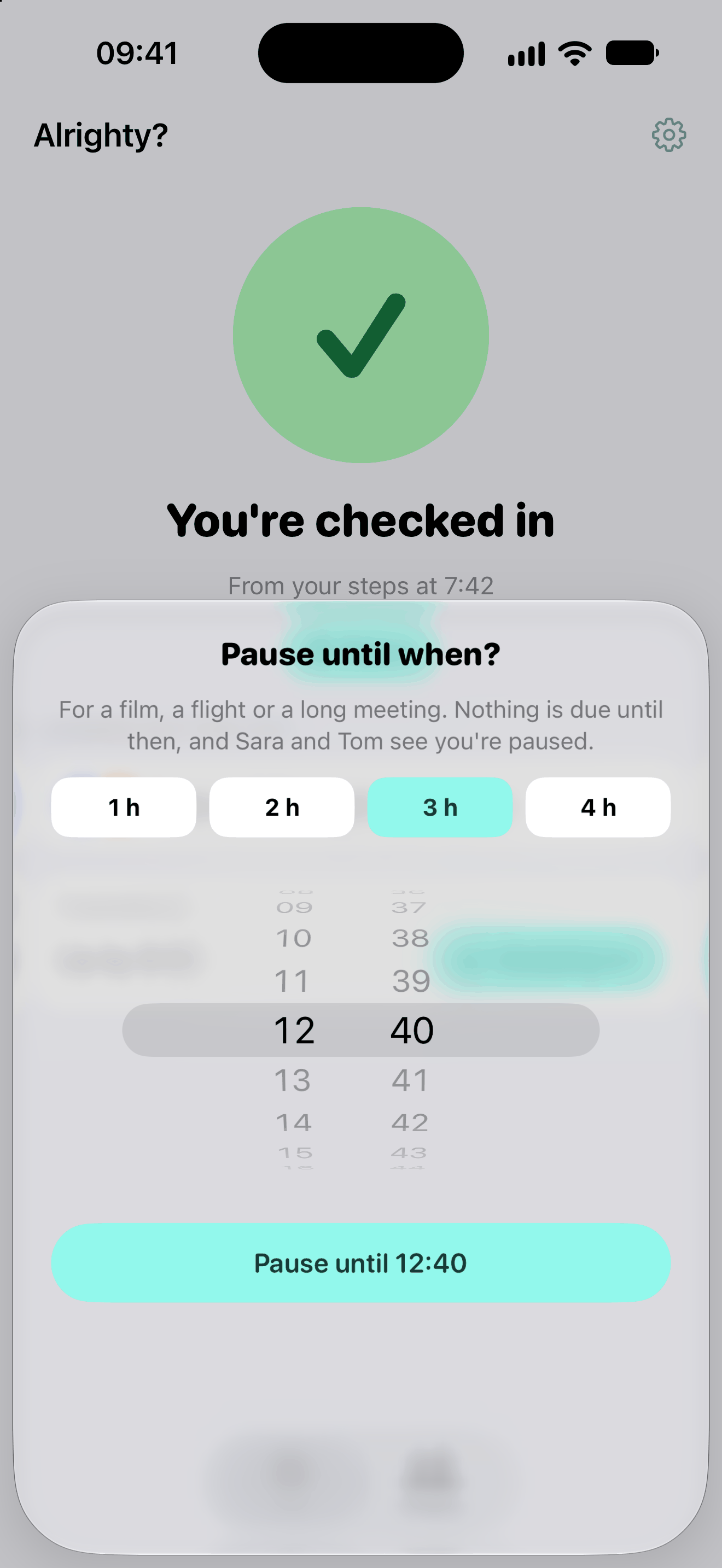
Going on a flight, to the cinema or into a long meeting? Tap Pause on the home screen and pick how long: 1 to 4 hours, or until a time. Nothing is due until then, and your people see that you’re paused.
For a lie-in, tap Sleeping in? under tomorrow’s plan to move just that morning. On By a time, +1 hour on the Lock Screen card moves tonight’s time, and Not going out on the home screen removes it.
Alrighty? helps you stay in touch. It is not an emergency service and cannot guarantee anyone’s safety. In an emergency, call your local emergency number.